Code component is not registered

My custom code component WorkSlider is not appearing on both my local and vercel server. I am getting the following error:

Code component WorkSlider is not registered. Make sure to call PLASMIC.registerComponent for all used code components in your page.

Interestingly enough my WorkSlider component shows up in my Custom Components tab in Plasmic Studio, so I know it is registered correctly.

I also have another component called HelloWorld which I registered for demo purposes, and that seems to be showing up in my app correctly.

Deployed on Vercel and published all recent changes, but somehow only WorkSlider seems not to be registered.

Can someone help me out?

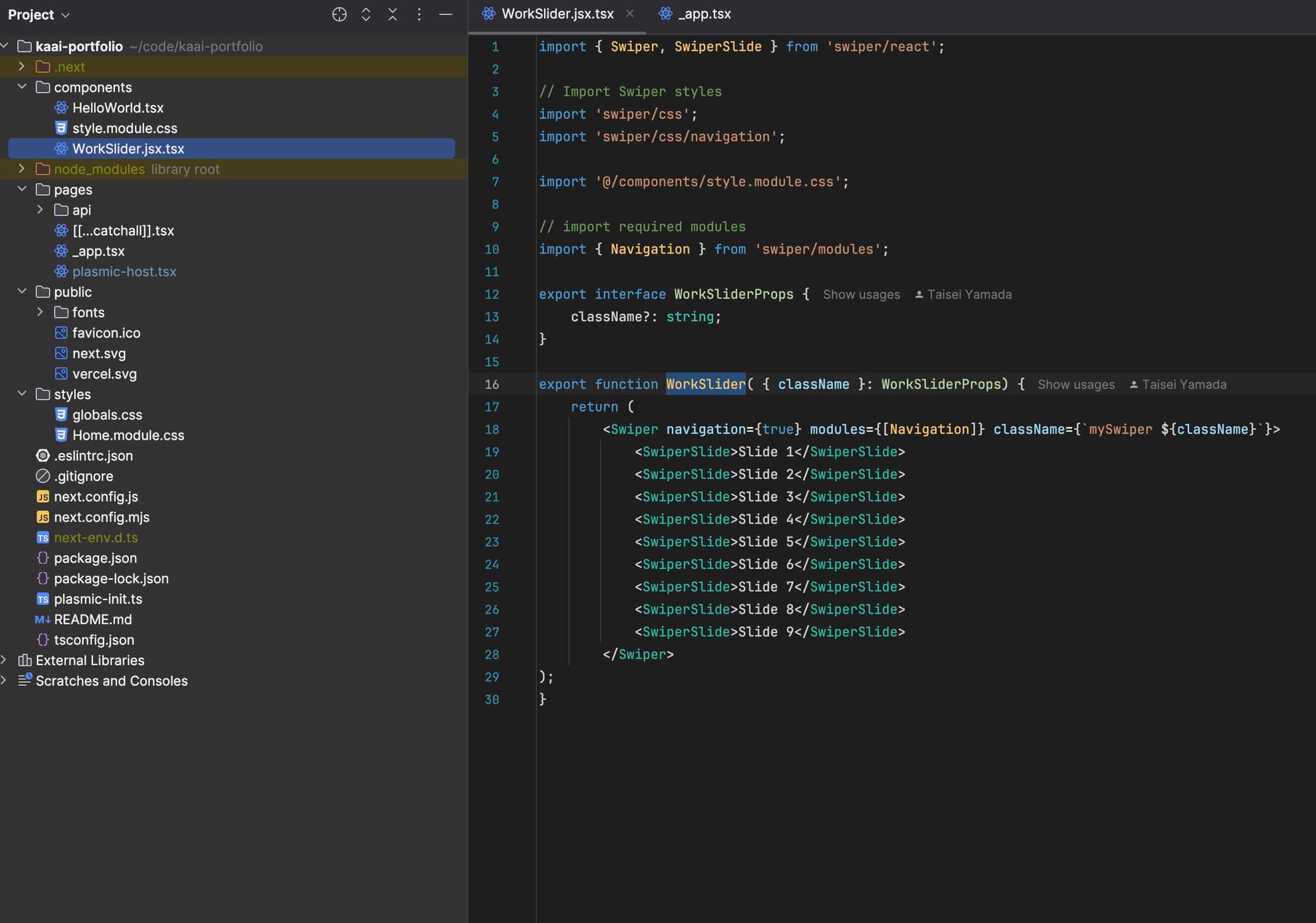
WorkSlider.tsx

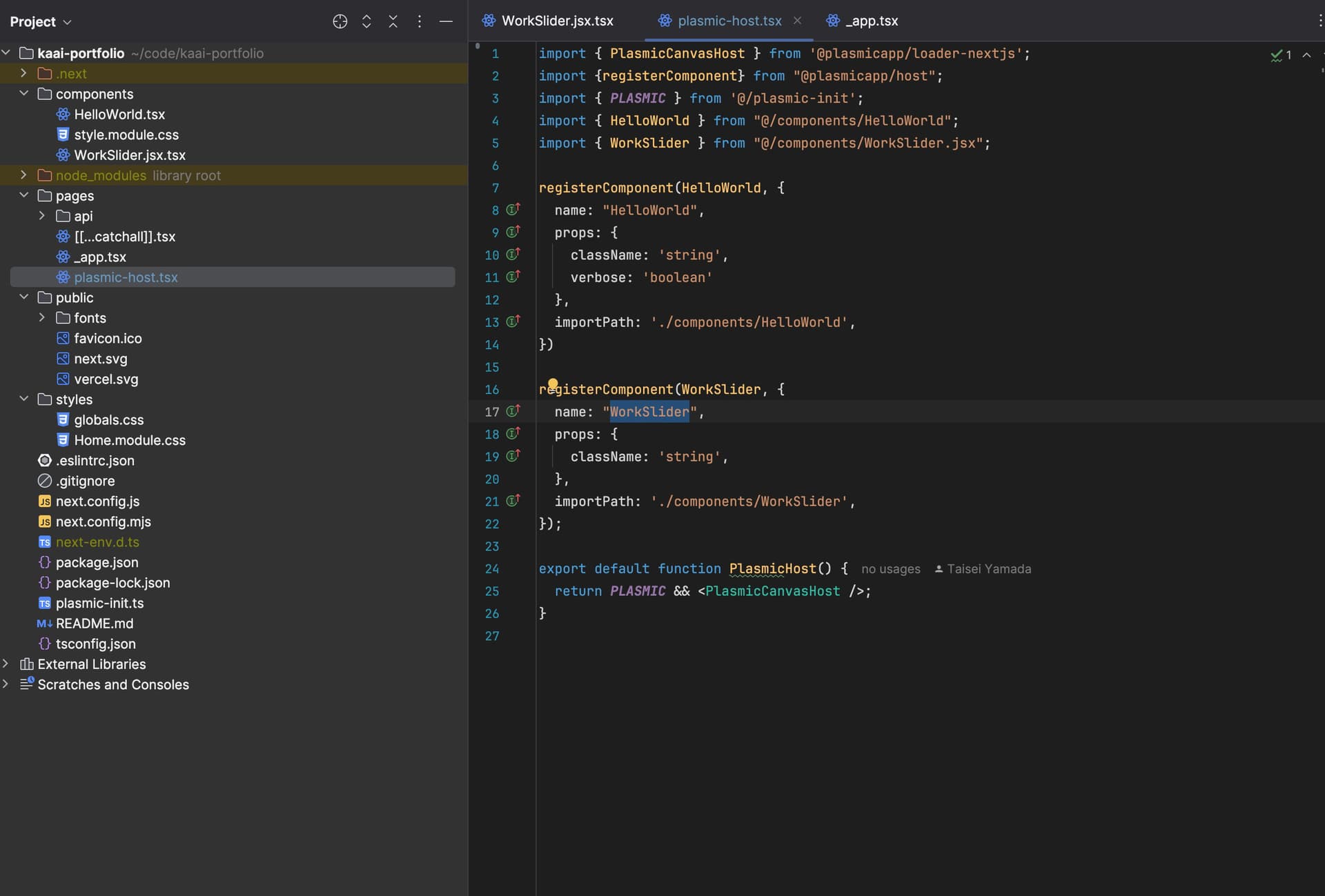
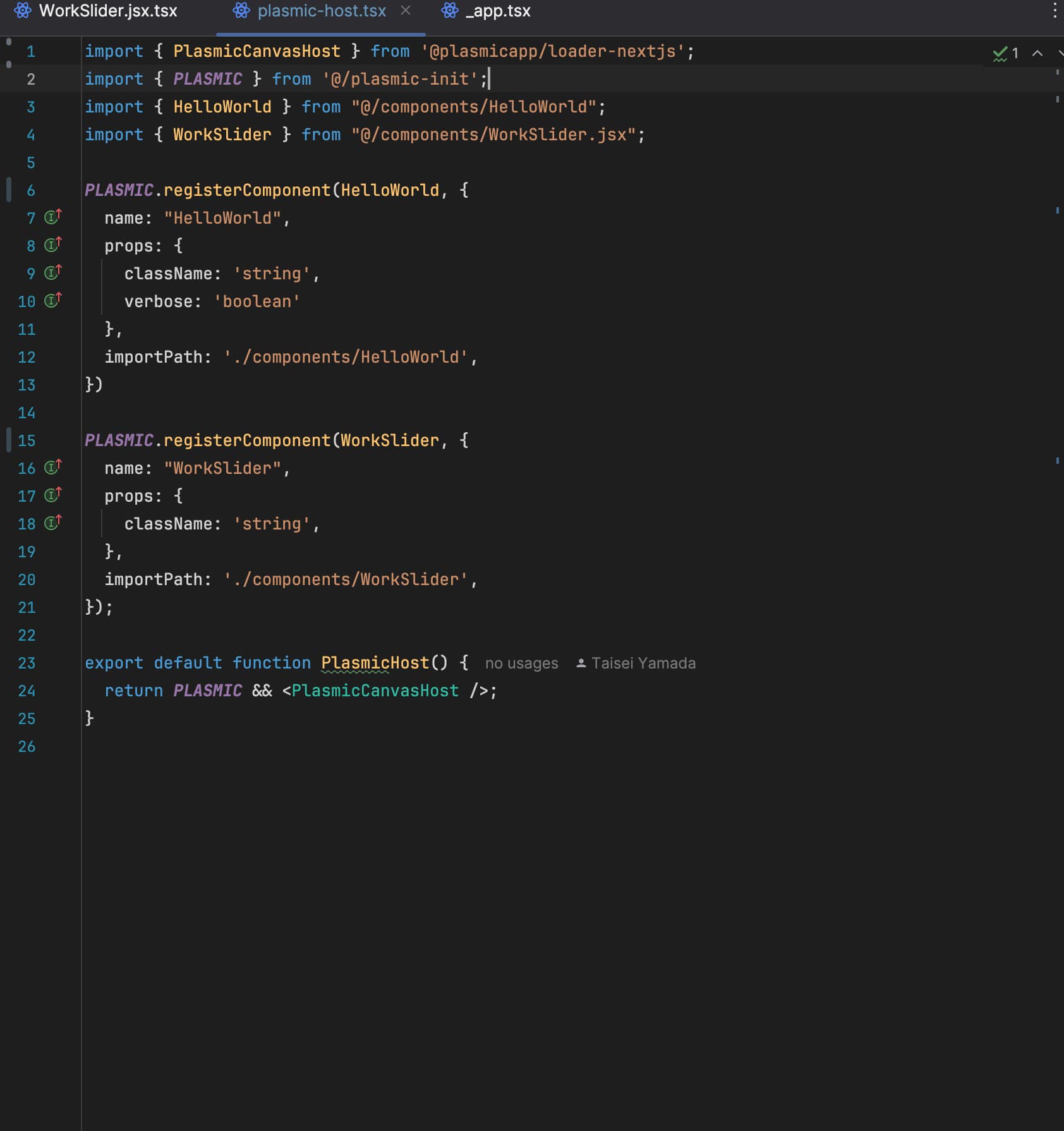
plasmic-host.tsx

Vercel App Link
kaai-portfolio-iulx-nhm6avfwd-shindosus-projects.vercel.app

Project ID
cMv7LvHHC6kpLZxPuP6Vfa

Would greatly appreciate any helps! If I’m overlooking anything I’m sorry.

Hey @kaai.

Since you’re using loader-nextjs you shouldn’t import things from @plasmicapp/host. You should also be registering your components using the loader instance like so:
PLASMIC.registerComponent(...)

Hi @icaro_guerra ,

Thanks for your reply.

I went ahead and edited my code as per your suggestion, but it still says that my WorkSlider component is not registered.

I’m just wondering why is HelloWorld registered and my Slider component isn’t.

I restarted my local server but it show the same error.

Looking at the plasmic-host file, it seems that the import path for WorkSlider is wrong. Try removing the .jsx at the end. Also, I would recommend moving the registration to plasmic-init.

1 Like

@icaro_guerra ,

Ah thank you I don’t know how I didn’t realize the typo. I renamed the file and moved the registration to plasmic-init, and it is working fine now. Thank you very much.