I am building a small web app for use as an internal tool.
The app’s backend is a Supabase cloud instance.
I have successfully connected my Plasmic project to the Supabase DB, and created a first page with a form that can INSERT to a table in that DB.
Now on the second page, I have to add a Select component which can present a list of records to the user. This list of records should be pulled from a DB table.
Following the documentation at Backend data integrations | Learn Plasmic I have created an appropriate data-query, and set the select component’s Data Query to point to this.
I can further see in the Plasmic Studio editor that the query is pulling the data rows I would expect.
However when I preview the app, the select simply shows a blank item for each row.
How can I specify which column of the data query should be used to populate the user-visible items on the Select component?
As the ‘code snippet’ appears to be javascripty, and my ResultSet contains a “name” field, I have tried changing the automatically-generated syntax: $queries.query.data
to $queries.query.data.map(d => d.name)
… but that doesn’t work.
I feel like there is one simple step missing, but I cannot see what it is.
N.B. I cannot find any detailed reference documentation for this, and I have tried the built-in “chat docs” agent but it hallucinates so much that I gave up trying to use it.
@cameron_smith Hi!
Which select component are you using?
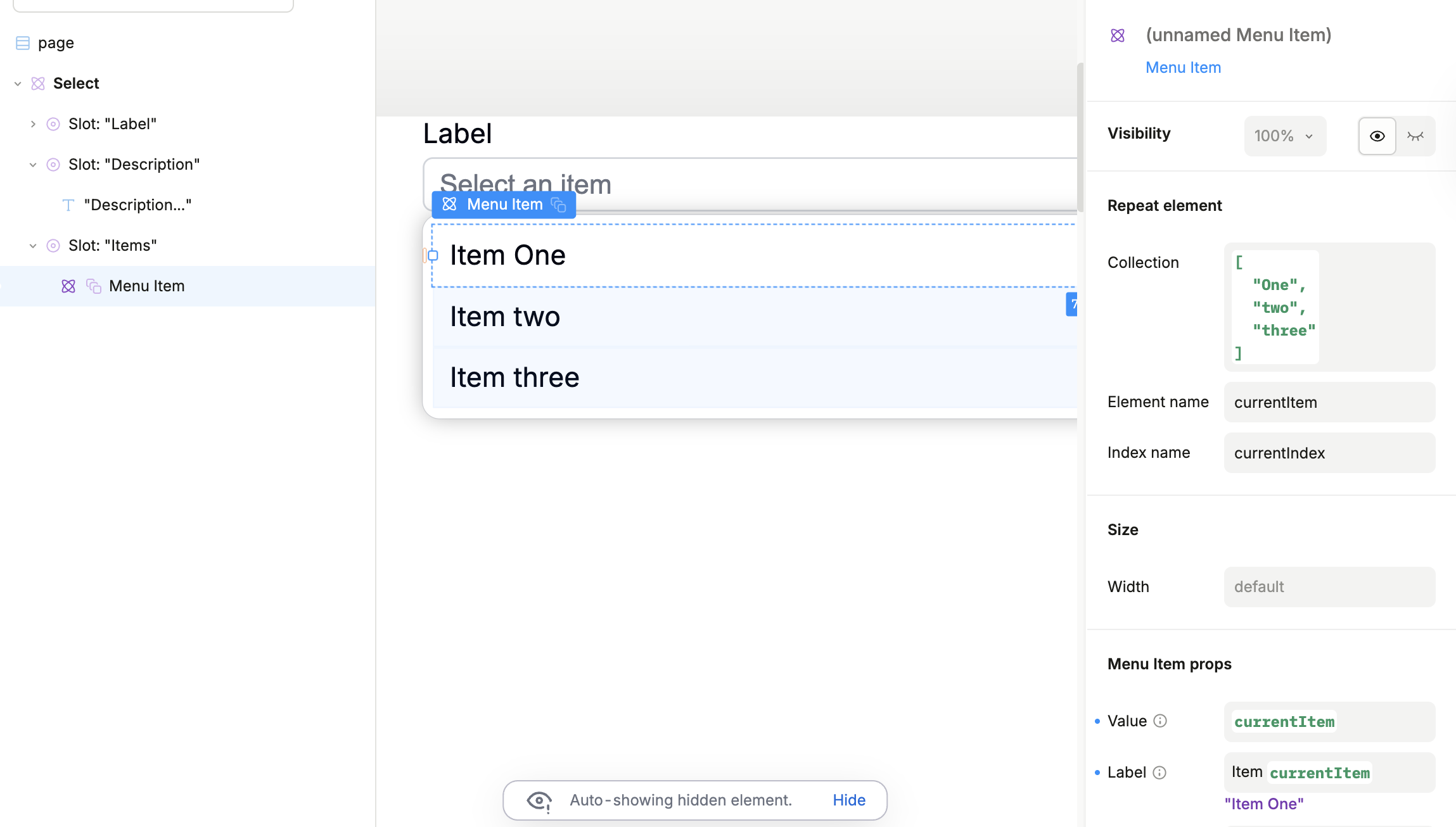
If you are using our default Select customizable component, then you just need to use your queries.query.data value in the Repeated element collection field of a Menu Item element
See example screenshot:
Thanks for the prompt response.
I believe I am using the default Select component as I did not any external libraries to the project.
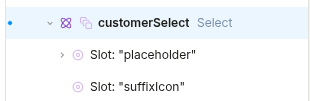
Current my element looks like the below screenshot. In order to achieve what you are suggesting, I therefore need to…
1. Add an Items slot as a child of the select
2. Add a Menu Item as a child of that slot
3. Configure the “Repeat element” property of that Menu Item, per your post above.
Have I understood correctly?
I have tried to add a slot and within it a component, following the documentation at Adding data with slots | Learn Plasmic
However the studio UX doesn’t quite follow the documentation…
- I can’t convert a MenuItem to a slot as stated in the docs
- I can’t make a MenuItem into a child of a Select without it going into one of the existing “placeholder” or “suffixIcon” slots
- I can’t add a slot to the Select ( I wanted to add an “Items” slot as shown in the example above by Alex).
Frustrating as in a frontend framework I could write this in about 2 minutes.
But for this project we are specifically evaluating no-code/low-code frameworks to avoid having a big dev burden.
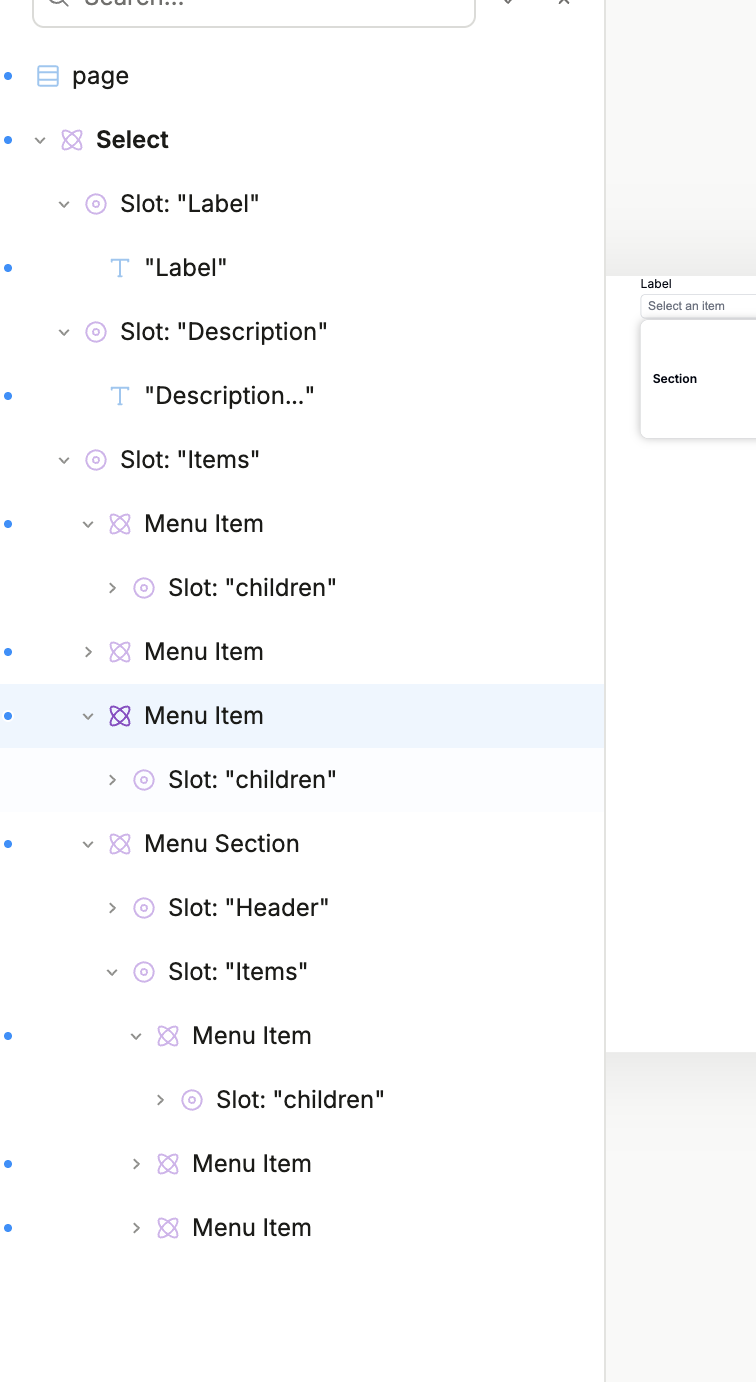
@cameron_smith If you want to nest something INSIDE the MenuItem you need to add convert the horizontal stack within it to be a target slot
Basically this is the go-to way for any scenario where you can’t convert the element directly into a slot - just nest a stack within it, and convert to a target slot