Hi!
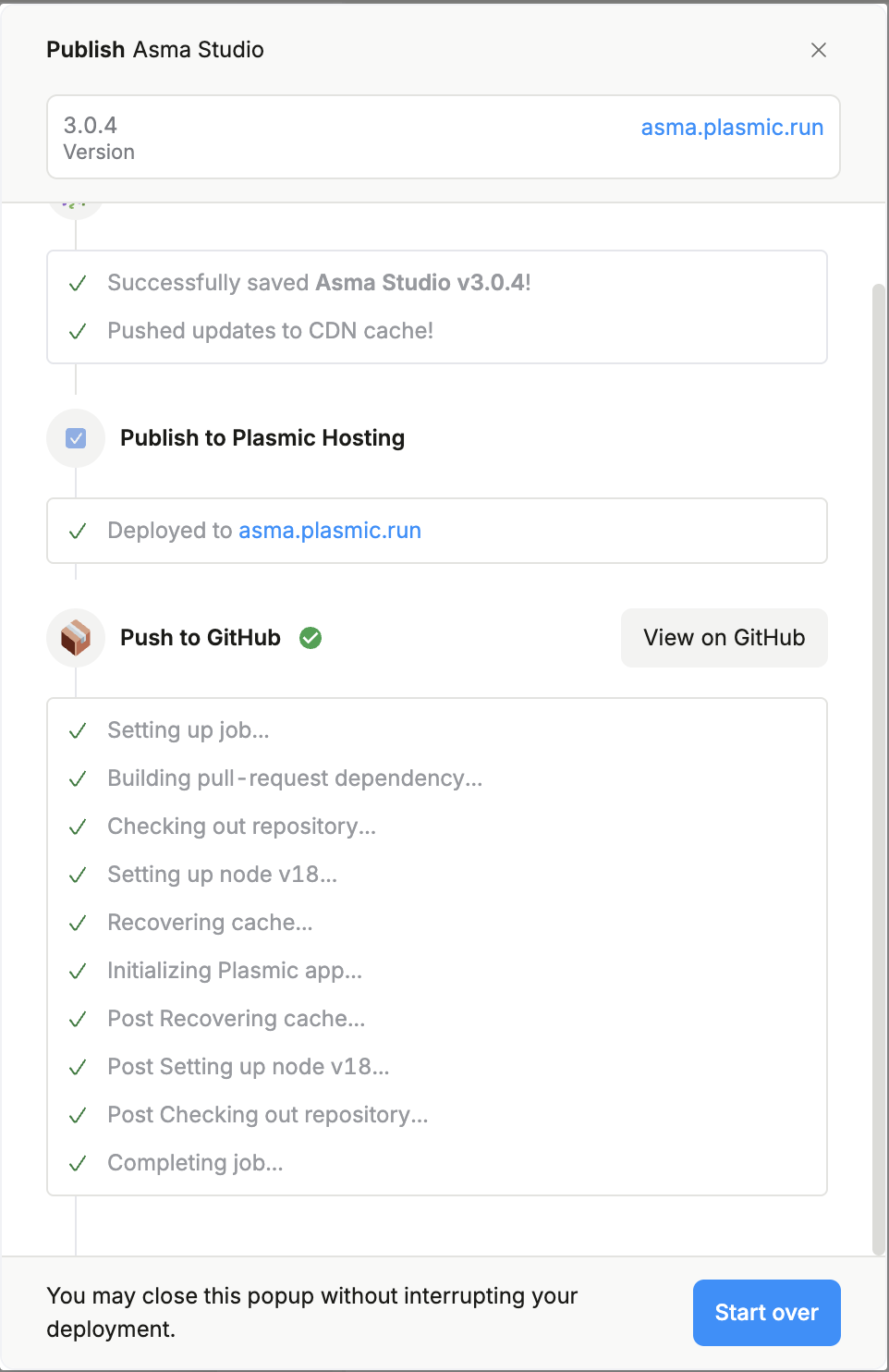
When I try to publish changes made on Plasmic Studio to the Plasmic Hosting domain, although according to the deployment log all has been successfully triggered, the website is simply not updating. (attached image of publishing window) I had considered initially that this could be a cache issue, but after troubleshooting and multiple attempts, it seems to be a bug that’s out of my reach.
The original domain to which I was publishing was
asma-staging.plasmic.run
For the sake of troubleshooting, I tried and changed the domain and deployed it to
asma.plasmic.run
However, still nothing.
This has not happened to me before while using Plasmic Studio, so I’m quite unsure on how to proceed and any assistance would be appreciated!
Hi @marta_machado, can you explain what you mean by “not updating”? When I visit asma-staging.plasmic.run now it seems to match the current state of your project, unless I’m missing something.
Hi Samuel. The version on asma-staging.plasmic.runis not reflecting the design and visual changes committed on the project visible on Plasmic Studio. No matter how many times I publish the changes, the design stays the same as the one you see right now on the staging link.
I have deployed it again to check if the matter has been resolved, but it seems stuck in the version you can see on asma-staging.plasmic.run. I have made the project able to be viewed by anyone with the ID/link for you to be able to have further visibility on what’s happening. Thanks!
Hello Jason,
Thanks for your time. Several visual differences were not published, such as:
Stroke color change (to black)
Overall font size token changes (smaller on non published version)
Changes to core components paddings and margins (footer and header)
Changes to responsive breakpoints and full-width settings on the components above
Added sticky behaviours to components above
Among some other, smaller visual tweaks that on the whole do mark a big change in the overall website. Could you please let me know what else I could do to try and make this changes be applied? This has never happened to me before using Plasmic, so I’m at a loss and in need of fixing this to go live as soon as I can. Thanks.
I checked a few of the things you mentioned, such as header/footer padding and sticky behaviors, and I see them reflected at asma-staging.plasmic.run. Can you take a screenshot of a specific property in Plasmic Studio that you are not seeing in the staging site?
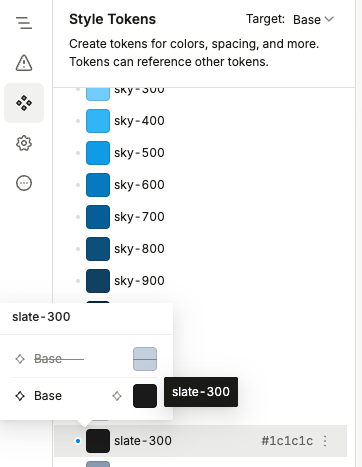
I was looking at your project, and I think you might be unintentionally using the overrides feature.
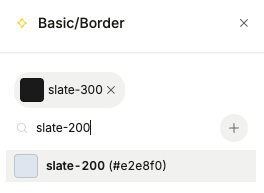
For example in your project, the border color on the Page Header is current using the Basic/Border token, which is referencing the slate-300 token from the color library. The problem is that you have overridden the slate-300 token to be lighter (maybe closer to the slate-200/100 color). Instead, you should consider changing Basic/Border token to refer directly to slate-200/100.