Hi Plasmic-technicals! 
We’re excited to share something that you have been asking us about for a while - Plasmic MCP:
You can now control Plasmic Studio directly from any AI agent tool that supports MCP!
Here are some example actions that you can do:
- inspect existing elements, components, tokens, variants, breakpoints, animations and etc.
- create new pages, components, and sections
- restyle or refine existing elements
This means that you are able to just prompt anything like:
/plasmic-designer YOUR_PROJECT_ID Create a section for my website
And then sit back and relax, all while watching how AI builds your section in live mode within the Plasmic editor.
Read more details and the installation guide in our docs
3 Likes
hi @alex_noel !
This is fantastic news.
I am testing it out and came across what might be an issue in the documentation
In documentation in section: 2B. For Claude Desktop
When I follow the instruction to
open -a TextEdit “$HOME/Library/Application Support/Claude/claude_desktop_config.json”
I see
{
  "preferences": {
    "quickEntryDictationShortcut": "capslock",
    "coworkScheduledTasksEnabled": true,
    "ccdScheduledTasksEnabled": true,
    "sidebarMode": "chat",
    "dockBounceEnabled": true,
    "coworkWebSearchEnabled": true
  }
}
Then in: Step 3 — Paste the MCP configuration
It says:
Open claude_desktop_config.json and replace its contents with (using your npx path from Step 2)
That was confusing as it suggest a person should replace this
{
  "preferences": {
    "quickEntryDictationShortcut": "capslock",
    "coworkScheduledTasksEnabled": true,
    "ccdScheduledTasksEnabled": true,
    "sidebarMode": "chat",
    "dockBounceEnabled": true,
    "coworkWebSearchEnabled": true
  }
}
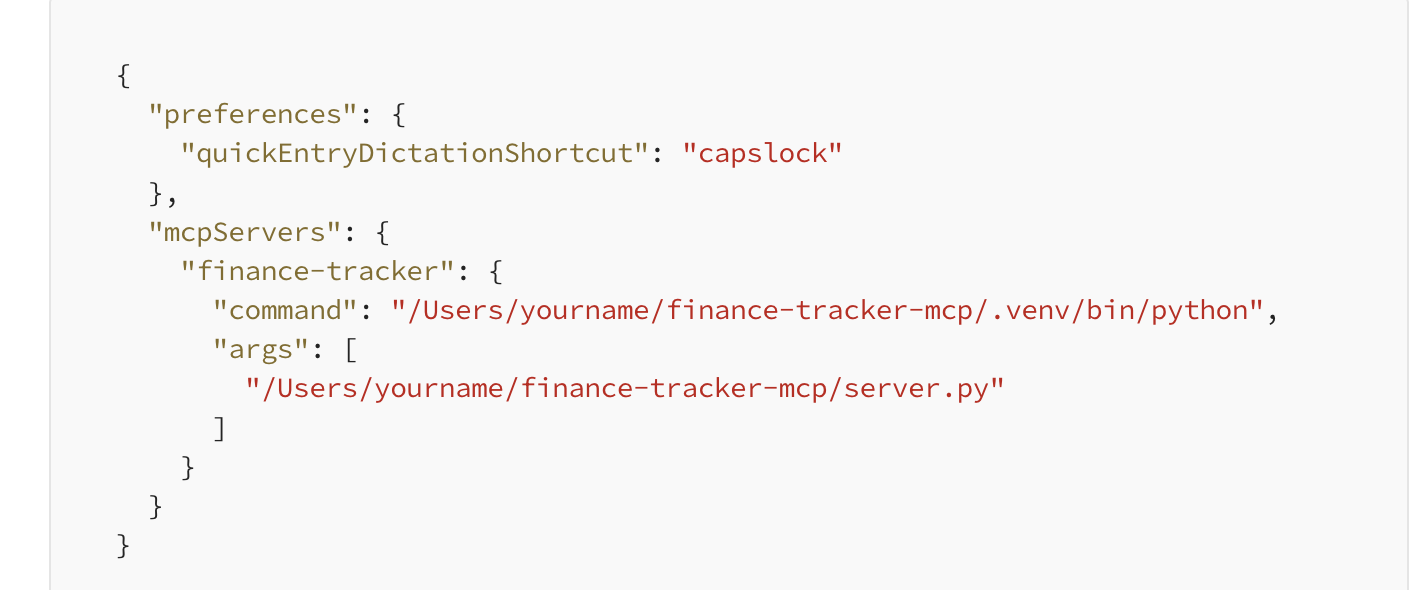
I did some research and came across this: https://medium.com/@shivangis2208/a-beginners-guide-to-mcp-python-server-claude-desktop-d137c658ec26 that suggests putting the MCP configuration after the preferences object
Hey @aihe_team
Thanks for testing it out and providing the feedback. We will update the docs to reduce confusion in this regards by considering existing configurations as well.
1 Like
@muhammad_asim I’m grateful for your work on the MCP. I hope it can move beyond just design in Plasmic in the future to incorporate other functionality!
Thanks, we are exploring and experimenting with different ideas internally. Are there any specific use cases or functionality you’d want to see the MCP support in the future?
Yes! Functions!
Things like redirect, integrations and others should be enabled on the MCP.
1 Like
@muhammad_asim Please enable publishing too!
@jason I am glad to see that this was pinned. More MCP functionality is extremely important! Code red it! (Just like Google did in response to ChatGPT)