Hi, if the Select component was built by you and inserted into the Studio through code components, you can use refActions (Element actions for code components | Learn Plasmic) to add a focus action, when you can then call through the integrations section. If you are talking about a built-in component, then there is no official support for it, but you could add an id to the element and directly focus it (HTMLElement: focus() method - Web APIs | MDN).
The built-in Form Field does not have the focus element action like the (customizable) Input Field one does. However, Input Field lacks the validation features of Form Field. Furthermore, I can’t seem to get the DOM for the Form Field to even use the focus() function.
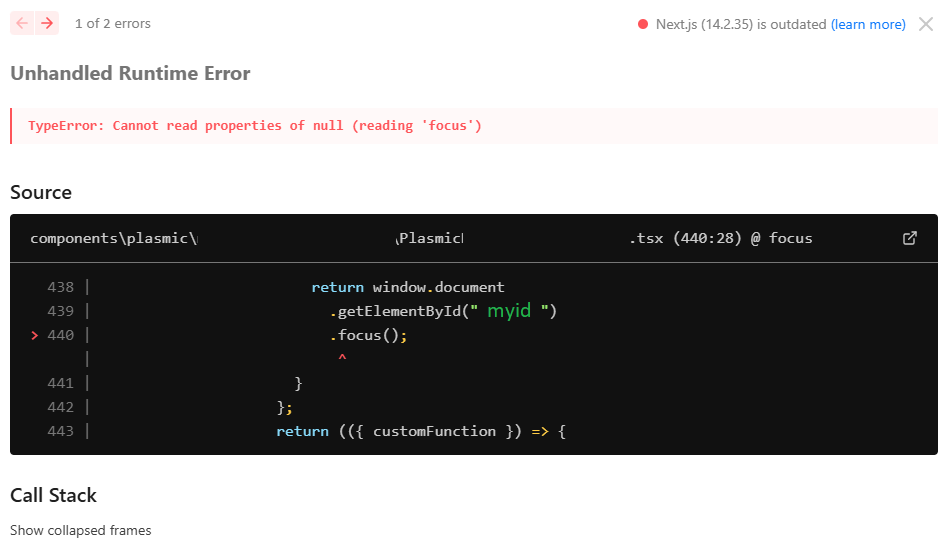
I tried window.document.getElementById(), but it returns null…
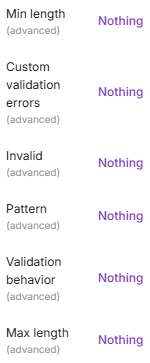
Hello @EmCmNeDt, customizable Text Field does support some validations via the invalid, pattern, Min Length and Max Length props - these props are visible in the Text Field’s component view while its root node (Aria Text Field) is selected. We are working on improving the experience and documentation around it, but it should be possible.
Regarding window.document.getElementById() returning null, it would do so if no element with the specified id is available in the DOM. My guess is that ” myid “ has unnecessary space characters resulting in the issue.
I assume the Invalid switch should be an equation, so that may get interesting.
The validations are actually involving data calls onChange. For instance, these would be like looking up the value of the field in the database for matches and triggering an error if there is a match or the opposite - a duplicate.