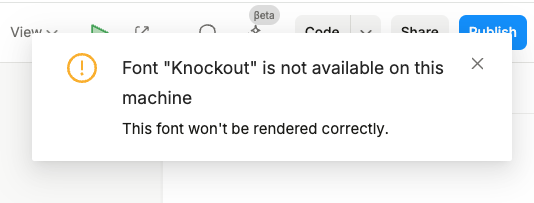
I want this message to stop appearing. It’s true that I do not have Knockout installed on my laptop, however, I don’t think we are using it anywhere in our project. But maybe I’m wrong about that?
How can I find all references to where this custom font is currently used? If I knew what elements were trying to use Knockout then I could change them to a different font
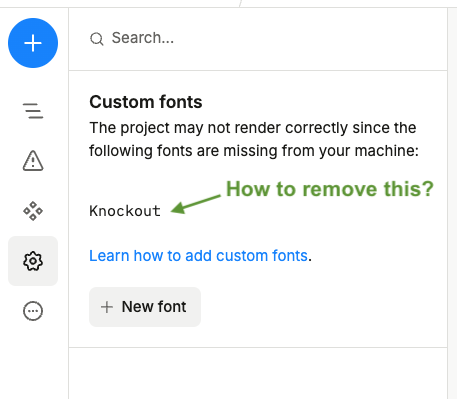
How can I remove Knockout from the Custom Font list? We don’t want it in there, but I don’t see a way to delete it. I think if I delete it then I’ll stop seeing the annoying notification.
I looked in Project Settings > Embed CSS to see if we have an import or font-face rule containing Knockout, but we don’t.
Hi @jason , no, the font is not installed from our app host. The word “knockout” does not appear in our Next.js code, and on the rendered site, when I search through the DOM, it doesn’t appear there, either.
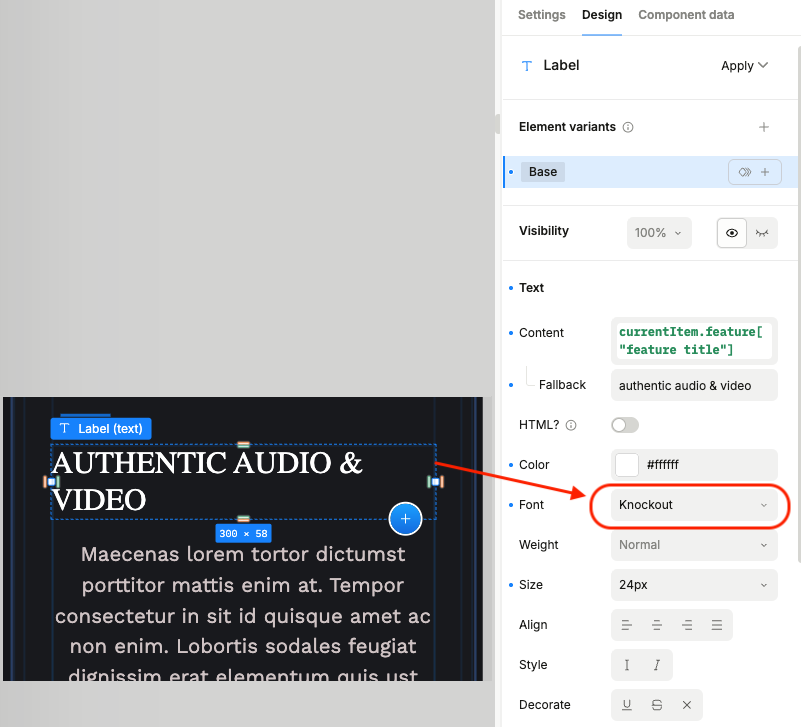
Update: I found a reference to Knockout in Plasmic Studio! I just happened to stumble upon it…I noticed we had some heading text that didn’t match our other fonts, and when I inspected I see “Knockout” is set as the font.
Which is weird, because it is not available in the font dropdown, so maybe someone manually typed it in? Actually, after asking around, it turns out that this was imported from our Figma file, in one of the first iterations of the project.
So if someone else comes across this: maybe you imported it from Figma!
And going back to my questions:
to speed up tracking down font references like this, is there any way to see where fonts are used? Or even just the custom fonts?
Is there any way to remove a font from the Custom Font list? I still see Knockout, so either it is stuck there, or I still have a reference somewhere.
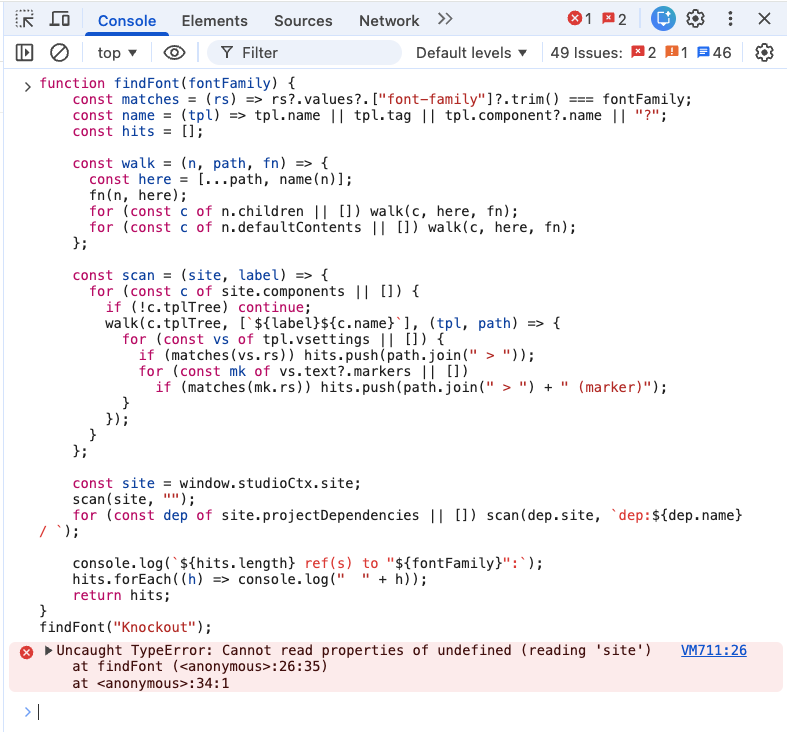
Hi @carlos_m, you’re right, the font you see is not installed, it’s actually a list of fonts used in any of your texts. We don’t currently have functionality built-in to find all references for it yet. However, if you are handy with devtools, you can copy in this script which will list out all references:
function findFont(fontFamily) {
    const matches = (rs) => rs?.values?.["font-family"]?.trim() === fontFamily;
    const name = (tpl) => tpl.name || tpl.tag || tpl.component?.name || "?";
    const hits = [];

    const walk = (n, path, fn) => {
      const here = [...path, name(n)];
      fn(n, here);
      for (const c of n.children || []) walk(c, here, fn);
      for (const c of n.defaultContents || []) walk(c, here, fn);
    };

    const scan = (site, label) => {
      for (const c of site.components || []) {
        if (!c.tplTree) continue;
        walk(c.tplTree, [`${label}${c.name}`], (tpl, path) => {
          for (const vs of tpl.vsettings || []) {
            if (matches(vs.rs)) hits.push(path.join(" > "));
            for (const mk of vs.text?.markers || [])
              if (matches(mk.rs)) hits.push(path.join(" > ") + " (marker)");
          }
        });
      }
    };

    const site = window.studioCtx.site;
    scan(site, "");
    for (const dep of site.projectDependencies || []) scan(dep.site, `dep:${dep.name} / `);

    console.log(`${hits.length} ref(s) to "${fontFamily}":`);
    hits.forEach((h) => console.log("  " + h));
    return hits;
}
findFont("Knockout");
Oh, wow, this is cool! Thanks for the script, @jason. I’m a full stack engineer, strongest in the frontend, so yeah I’m very handy with devtools and JavaScript. Looks like we pass in the font name of interest, grab the site, run scan() which iterates through all the components, and if the component has a tree then we call walk(), with some fancy recursion to dig down to all the leaf nodes, saving out the hits so we can console log them. Pretty slick. Unfortunately, it’s not working because window.studioCtx is undefined.
Just to clarify, I tried running this in devtools while on the Plasmic Studio visual editor. Is that right? Or should I be on a different page, like the project dashboard, the Preview, or the hosted web site?
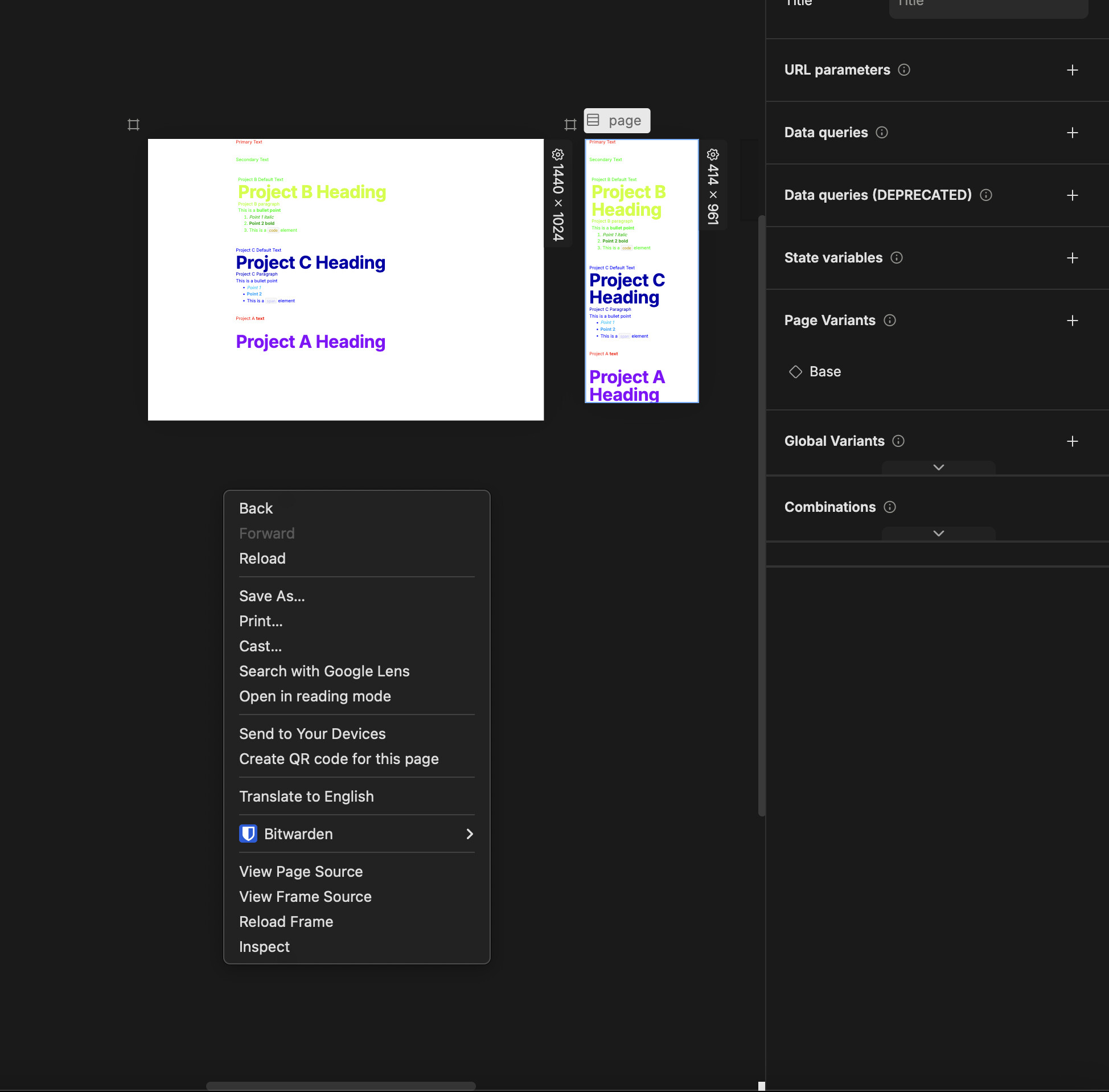
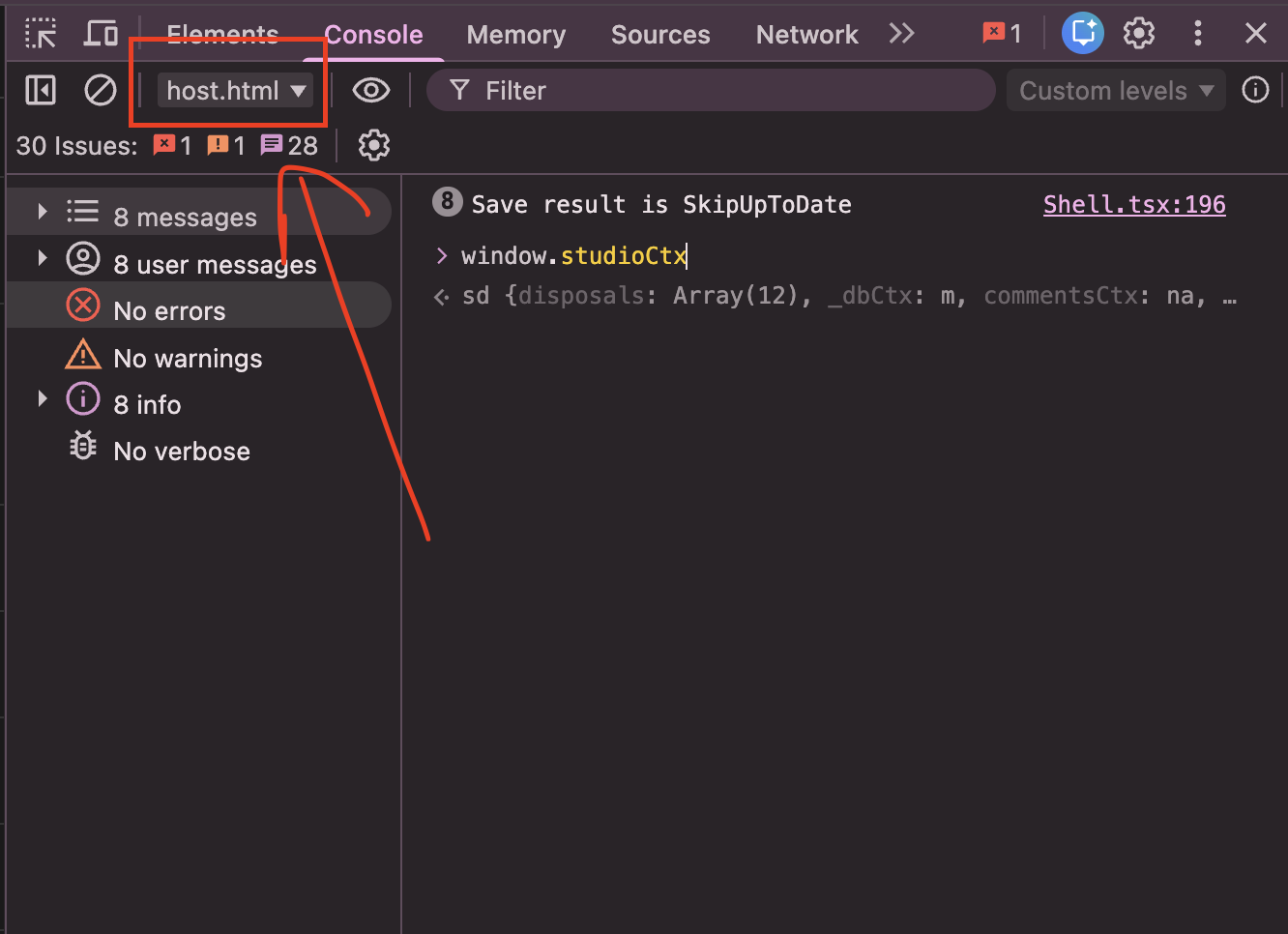
You would need to run it in the host frame. To do that, you can right click > inspect in the Canvas somewhere around your Artboard. The inspector will indicate the host.html. PFA. In your screenshot, it’s showing it as the top frame.
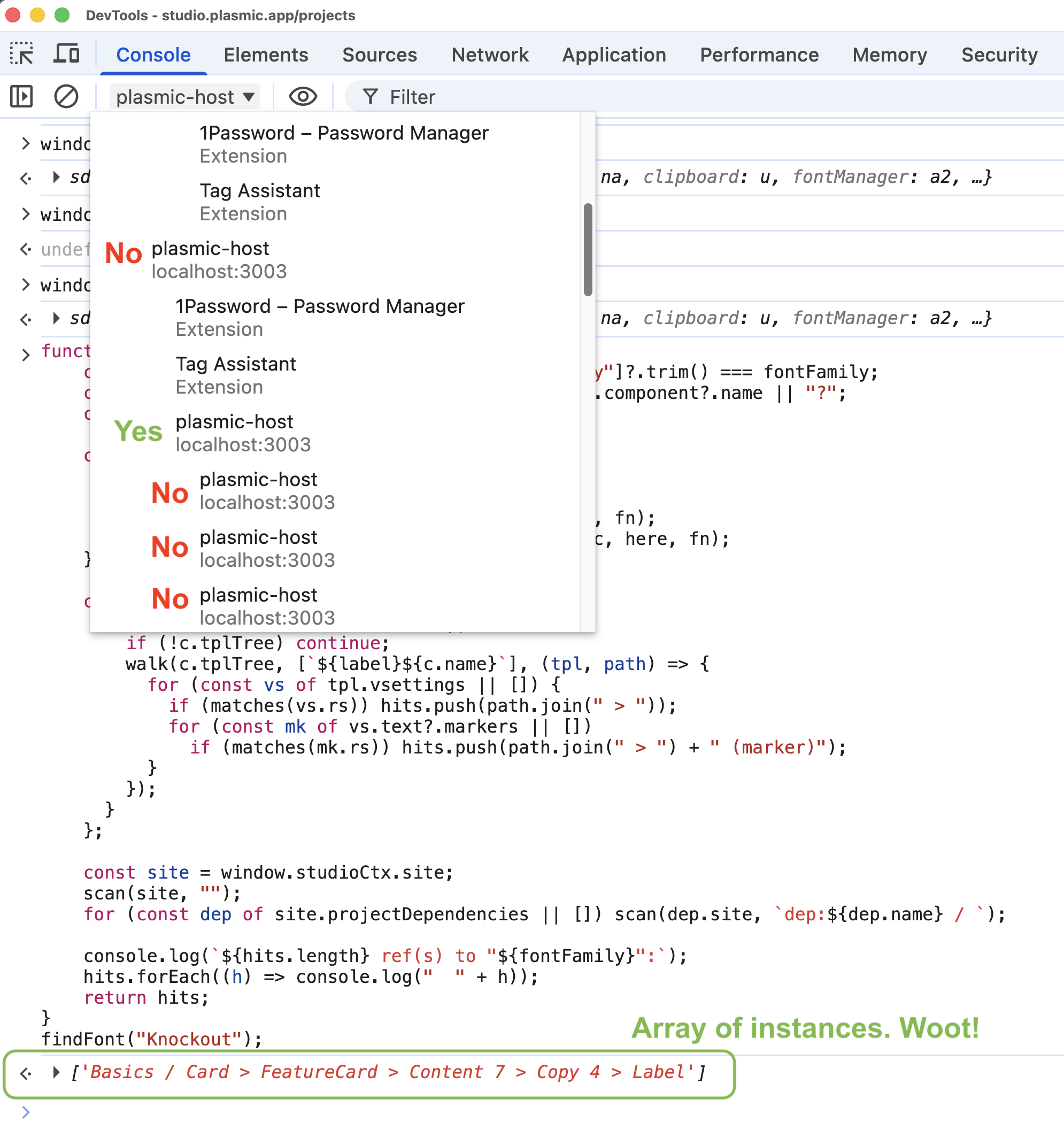
Ah ha, that’s really good information, @muhammad_asim. Learned something new today! I didn’t even know about the JavaScript context dropdown in the console, but with a complex app like this, it makes sense that there are tons of iframes and contexts, not to mention contexts for browser extensions. I inspected and searched the DOM for host.html and I found it on a few iframes, but I didn’t see a clear way to connect those iframes to the options in the context dropdown. No big deal, I just tried each one and logged window.studioCtx until I got something that was not undefined. With the right context chosen, @jason ‘s script worked great; I ran it and it logged a list of references to the font “Knockout”. I had already eliminated two earlier today (changed the text to have a different font) so there was just one remaining.
In the screenshot I’m showing my context dropdown, and there are quite a few that say “plasmic-host, localhost:3003”. The one marked “Yes” had window.studioCtx defined. The array of instances is shown also, with just one remaining instance.
And finally, after changing the font on that last piece of text, the Custom Fonts list is now empty, and I’m not getting the notification anymore. Thanks so much for your help!