What are you trying to do? (please be as specific as possible and include relevant screenshots, code snippets, and reproduction steps)
Hey Plasmic team
i have created a prop like this while registering a component.
props: {
hideCategories: {
    type: "custom",
    control: CustomPropComponent,
    defaultValue: ",
  },
customCategories: {
    type: "array",
    itemType: {
      type: "object",
      nameFunc: (item) => item?.name,
      fields: {
        name: {
          type: "string",
        },
        code: {
          type: "custom",
          control: CustomPropComponent,
          defaultValue: "",
        },
      },
    },
  },
}
-
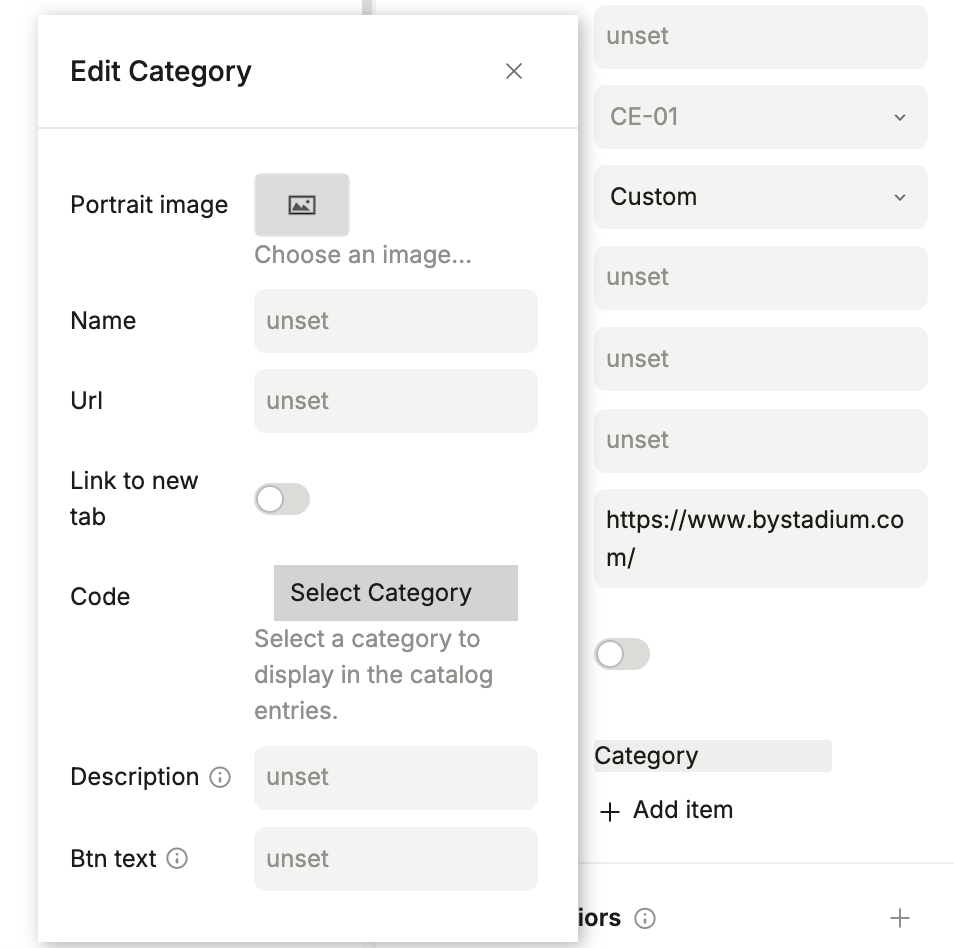
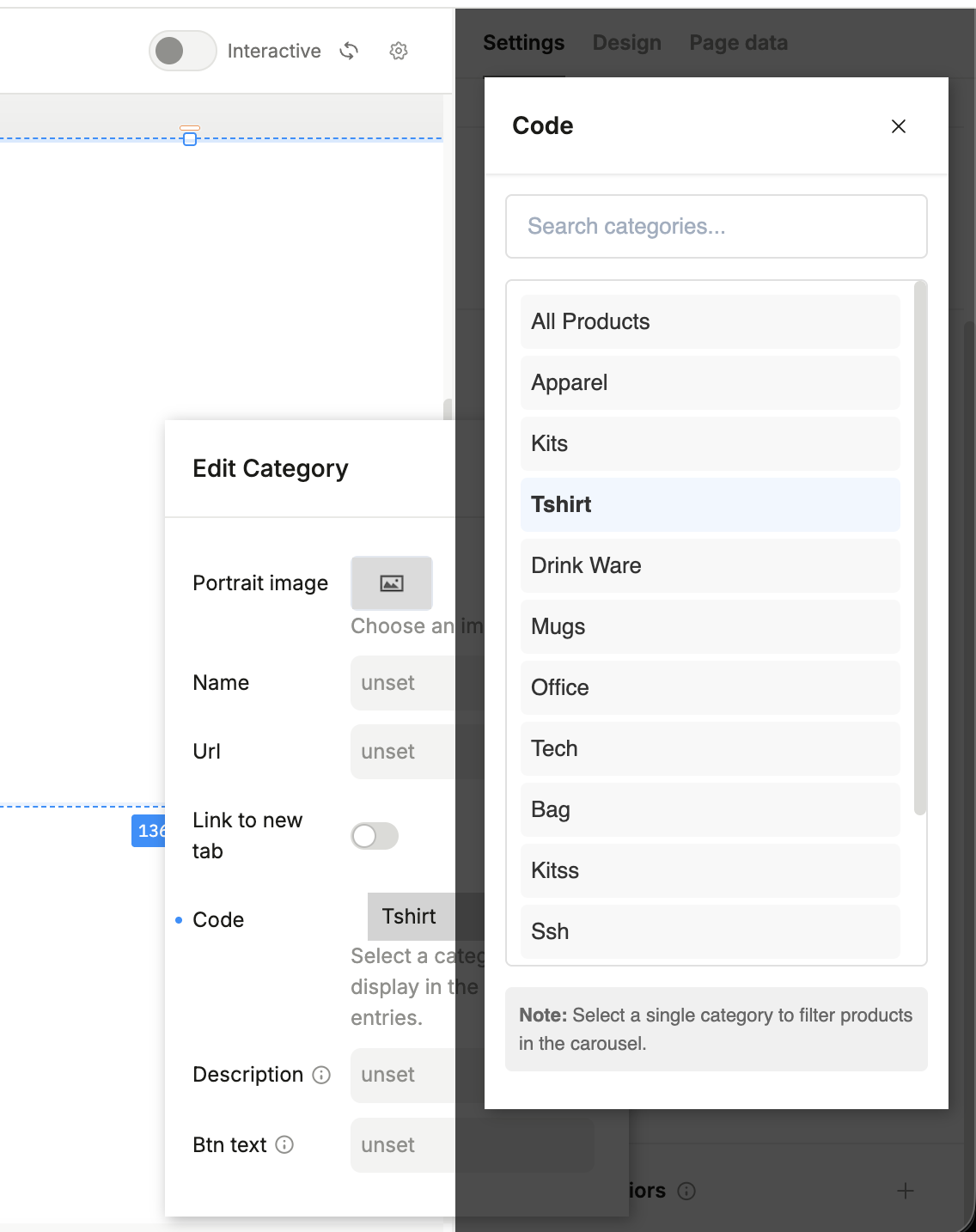
this CustomPropComponent have a input field which is not working when SideModal is open from code prop inside customCategories, but working when i am accessing it with hideCategories as direct prop.
-
Not working as in, not be able to click, type or anything. i want to search item in the list by entering value in the input field.
-
attaching SC, first a modal opens when i click on “Add Item” then Custom prop component on SideModal when i click on “Select Category”.
What have you tried so far? (please link relevant docs and other forum posts)
sharing my search input component with what i have tried, all of these are not working
const SearchInput: React.FC<SearchInputProps> = ({
  value,
  onChange,
  placeholder = "Search categories...",
}) => {
  const id = useId();

  console.log("Plasmic", { id });
  return (
    <div
      style={{ marginBottom: "12px" }}
      onClick={(e) => {
        console.log("Plasmic", { e: e.isPropagationStopped() });
      }}
      onClickCapture={(e) => {
        console.log("Plasmic capture", { e: e.isPropagationStopped() });
      }}
    >
      <input
        id={"Plasmic123"}
        type="text"
        placeholder={placeholder}
        value={value}
        autoFocus={true}
        onKeyDown={(e) => {
          console.log("Plasmic key down", { e: e });
          e.stopPropagation();
        }}
        onKeyUp={(e) => {
          console.log("Plasmic key up", { e: e });
          e.stopPropagation();
        }}
        onKeyPress={(e) => {
          console.log("Plasmic key press", { e: e });
          e.stopPropagation();
        }}
        onFocusCapture={(e) => {
          console.log("Plasmic focus capture", { e: e });
          e.stopPropagation();
          e.nativeEvent.stopImmediatePropagation();
          e.target.focus();
        }}
        onClickCapture={(e) => {
          console.log("Plasmic click capture", { e: e });
          e.stopPropagation();
        }}
        onChangeCapture={(e) => {
          console.log("Plasmic change capture", { e: e });
          e.stopPropagation();
        }}
        onChange={(e) => {
          console.log("Plasmic change", { e: e.isPropagationStopped() });
          onChange(e.target.value);
        }}
        style={searchInputStyle}
        onFocus={(e) => {
          e.target.style.borderColor = "#0066cc";
        }}
        onBlur={(e) => {
          e.target.style.borderColor = "#e0e0e0";
        }}
      />
    </div>
  );
};
Relevant links: