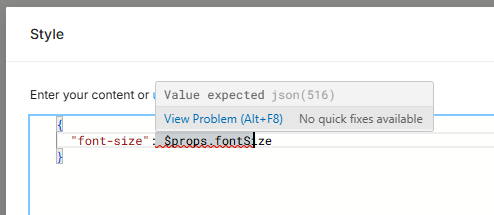
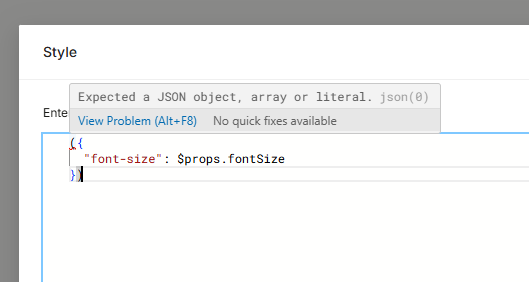
In the above case, color was a color prop. But today I went to a new component and attempted the same thing with a string prop, which consists of a font size value and a unit, such as “0.75rem:”
({
  "fontSize": $props.fontSize
})
For whatever reason, it won’t let me apply this. The only differences are of course the css property I’m setting, the type and value of the prop, and the fact that I’m attempting to set this on a plain text element rather than its outer component. I’ve tried several other ways to format it:
and any other combination of these changes, but all throw an error. The working version, which set background color, doesn’t work on the new element either– what’s causing this?
Hi @juliana_nielson !
Is the “:” symbol in the string also present in the prop value?
Unfortunately i can’t access your project because it’s connected to localhost app host which only exists on your local machine
@juliana_nielson sorry for the late reply
have you tried font-size instead of the fontSize? fontSize is the JSX syntax of the proprety, not standard CSS
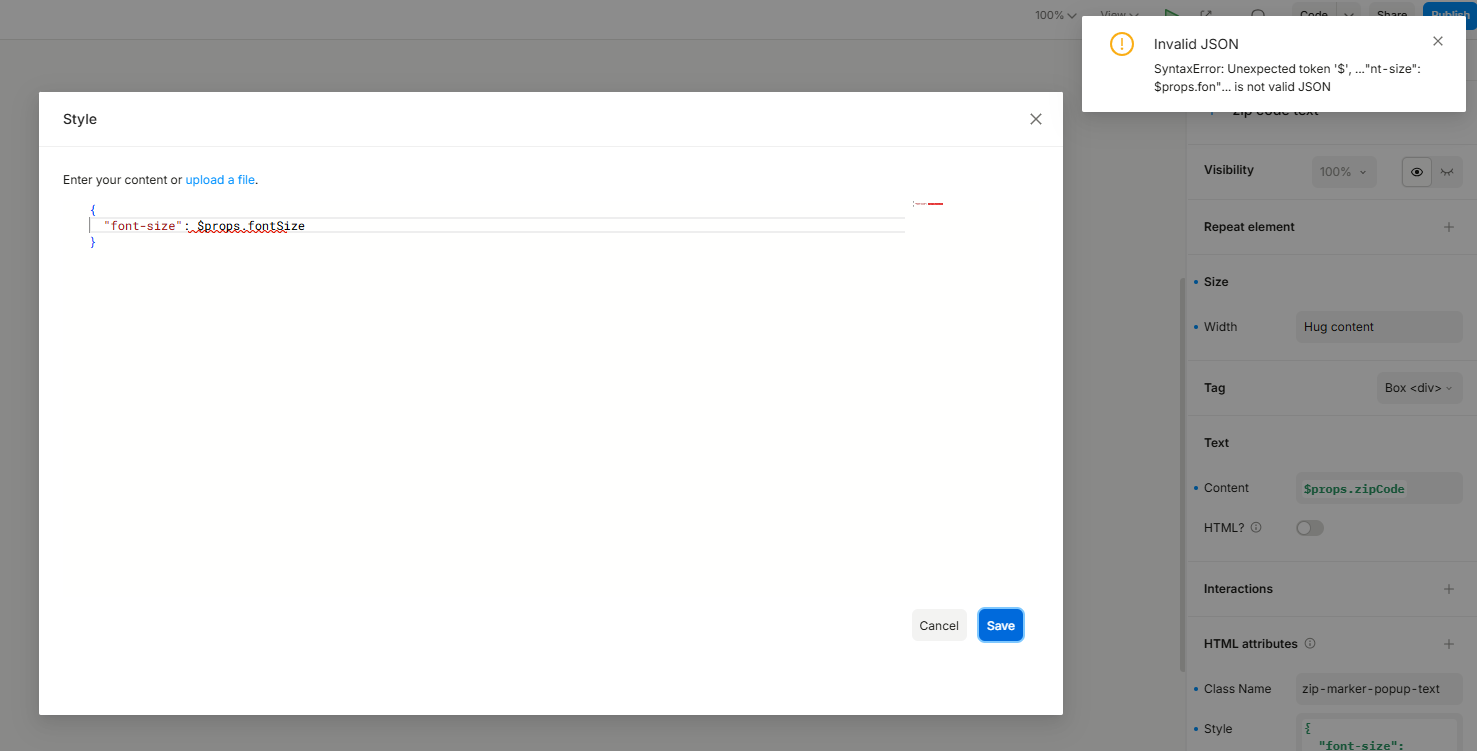
Yes, though if that was the issue, I suspect it would do nothing rather than error out. The issue is that I can’t save my changes to the style prop at all. It won’t let me because it complains about it not being valid JSON:
You can only write CSS in the CSS editor (as shown in your screenshots).
If you need to use JavaScript, you’ll have to assign a dynamic value to the style prop, which will open the JavaScript editor instead. Also, since that’s javascript, you would use fontSize there.