You can use a combination of offset and limit for pagination. As per the docs, the correct way to specify the q query string parameter is by using JSON.stringify. So it would look like:
JSON.stringify({ "limit": 30 })
How would you use it in Studio to make it work?
I am still getting 100 rows:
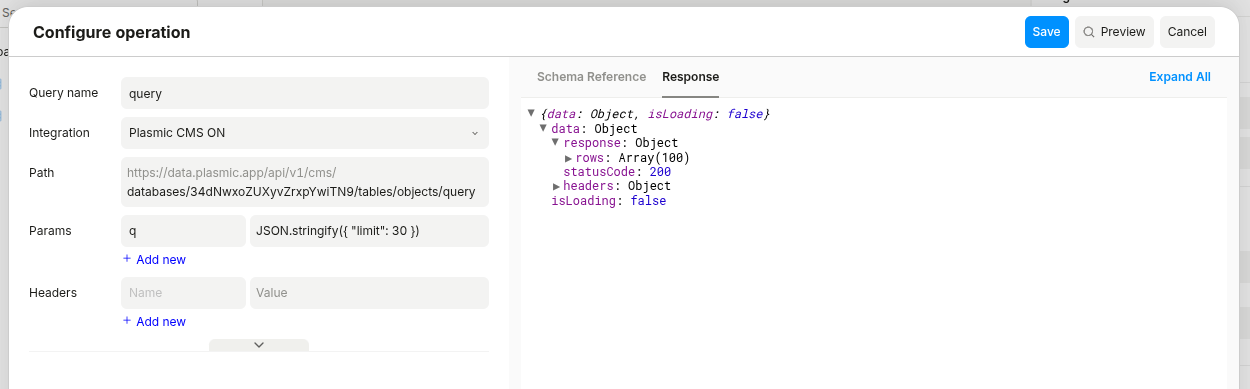
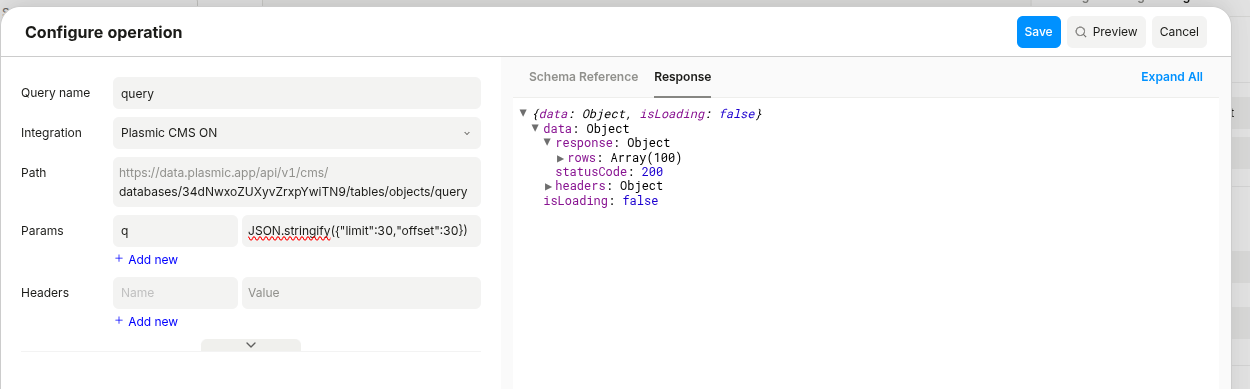
And it does not help with the post action, in which you cannot use JSON.stringify. Can you provide more information for that too?
You have to set a dynamic value on the param, which opens up the data picker / code editor where you can write the aforementioned javascript.
Thank you. It does work for getting data.
However I am still stuck for creating data, always the same error message, no matter the syntax I use:
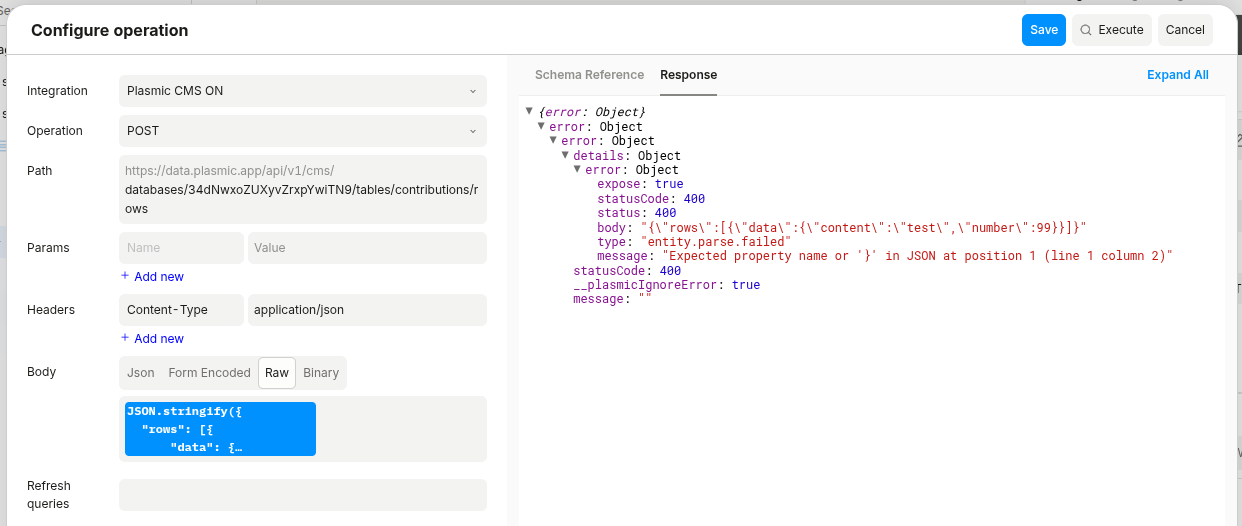
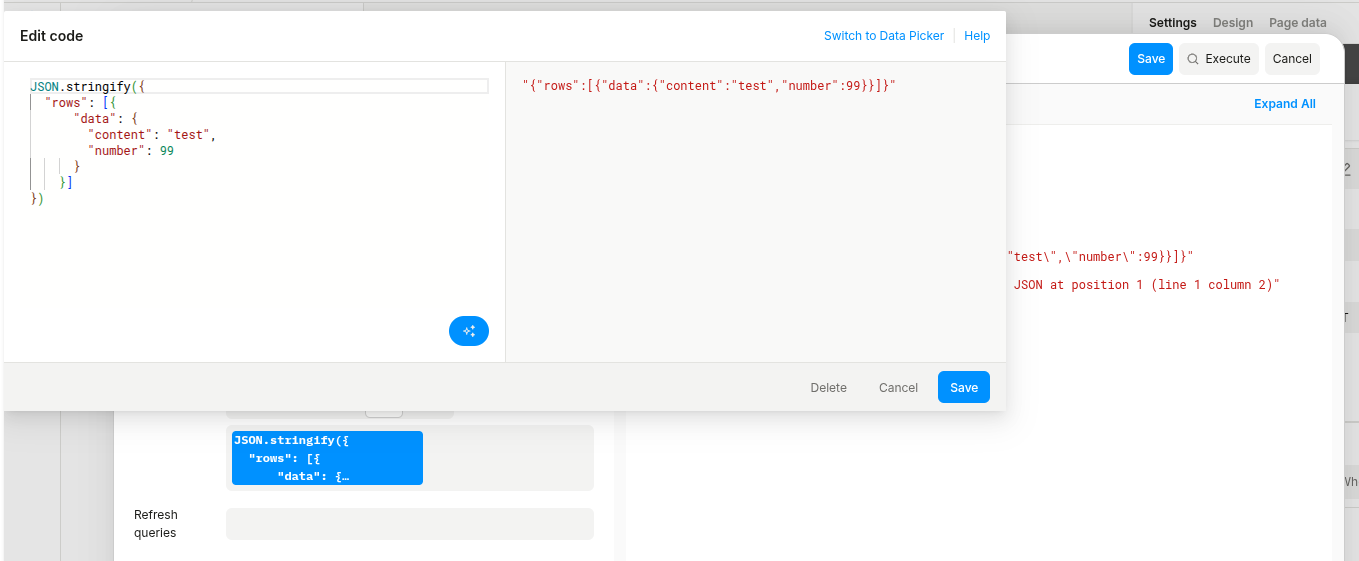
What is the trick?
You can just add the json directly instead of using JSON.stringify in a dynamic expression.
Ok thank you, this finally works, although I don’t quite know why. I guess the stringified json that I copy-pasted has some different syntax that I cannot see.
So to summarize and close this topic, in order to use Plasmic CMS in Plasmic Studio:
-
to get items with query params, you need to use a dynamic value with JSON.stringify (as just using the json string does not work) this way:
-
to create items, you need to use directly the json string (as using dynamic expression doesn’t work, but you may want to use in the process the dynamic value with JSON.stringify to get the correct syntax) this way:
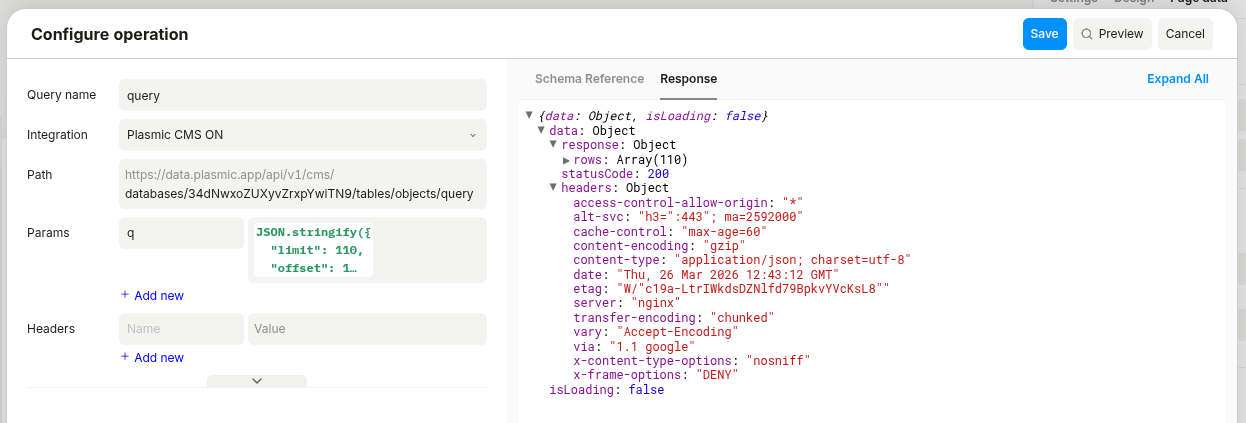
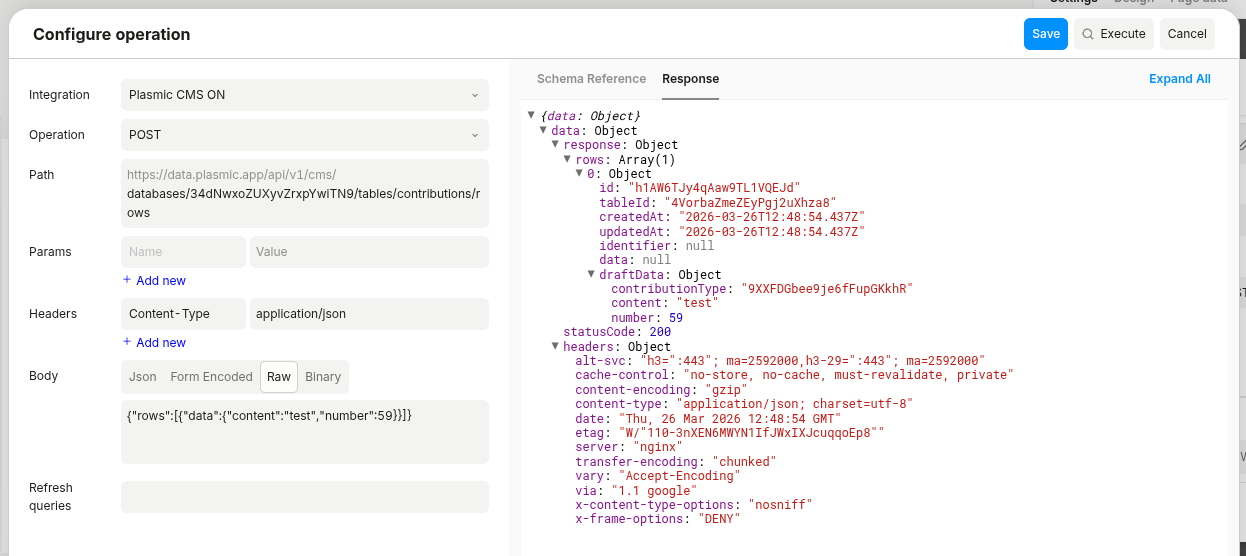
This is in my opinion a weird and inconsistent behaviour, but at least we have made it work. I hope those exchanges help others and that it works with other API methods. I will update this topic when I get there.
I agree its very confusing. We are releasing a new way to query data very soon that should address some of your concerns. Stay tuned!
1 Like