Plasmic just got a huge upgrade:
We rolled out v2 of Data Queries, which will replace the existing back-end integrations.
What this means for you:
- No need to create an integration to get data into the editor
- Queries now run in your own environment, not through Plasmic servers
- Write data-fetching code queries directly in the editor
- Devs can expose custom functions from the codebase
- All teams can configure and bind data visually to UI and SEO metadata
- Full support for React server components and functions
Learn more about other updates, migration guides, and how to get started with the new data queries:
1 Like
Seems like quite a lot of big improvements! 
My critique of the data queries update is that they become a little less beginner-friendly.
For example (graphql):
- Beginners might not know the difference between get/post/put/delete (add a hoverable tooltip?)
- Beginners might not know what to put for headers and that it should be a json (maybe add tooltip or set a generic default?)
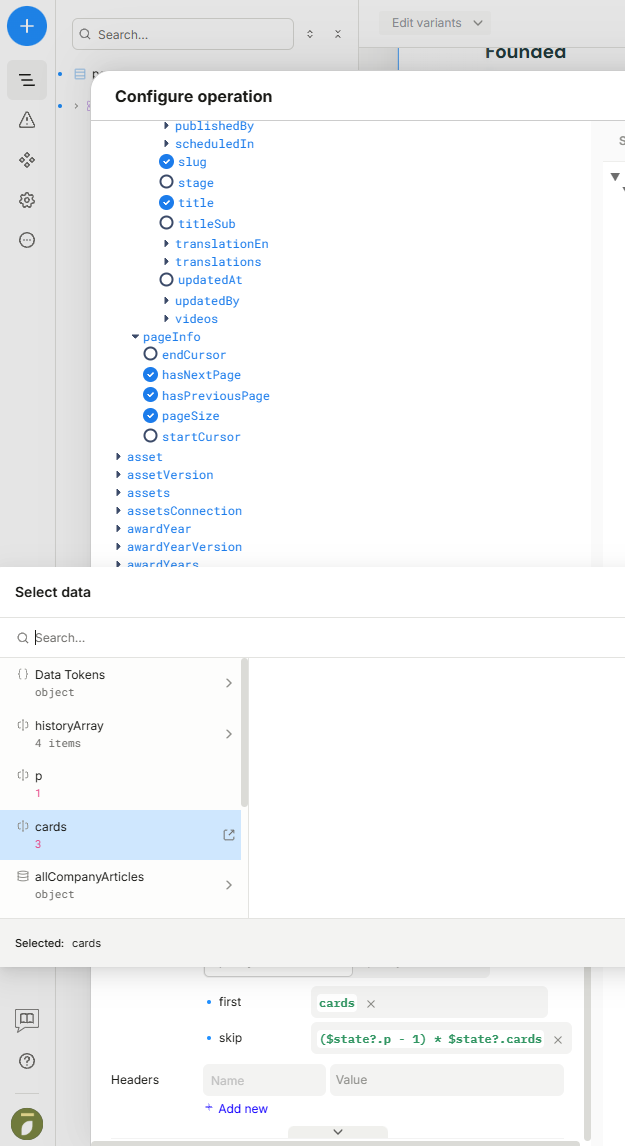
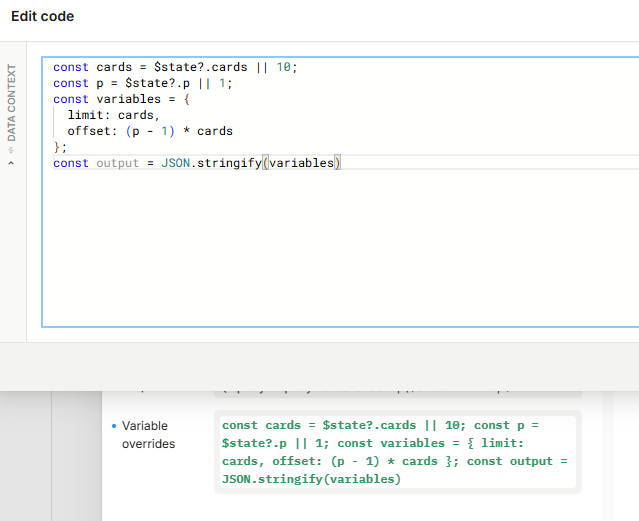
- Can’t set individual variables via dynamic value modal anymore (now must set a whole json via “Variables override”, which beginners might not know)
Still, gotta thank the team for making Plasmic even better! And, nowadays I think many beginners can probably find answers via google search or asking GPT.
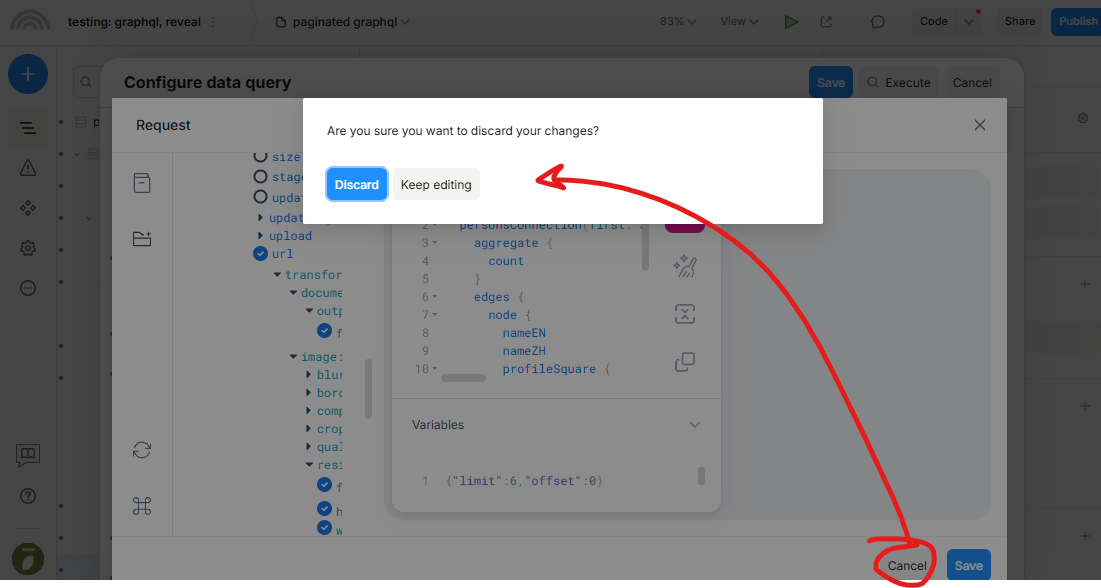
- On a separate note, this modal when no changes were made is quite scary (sounds like it will discard the whole query instead of just going back) - ideally it wouldn’t be shown when pressing Cancel and no changes were made in the GraphiQL request modal (only shows when actual changes were made)