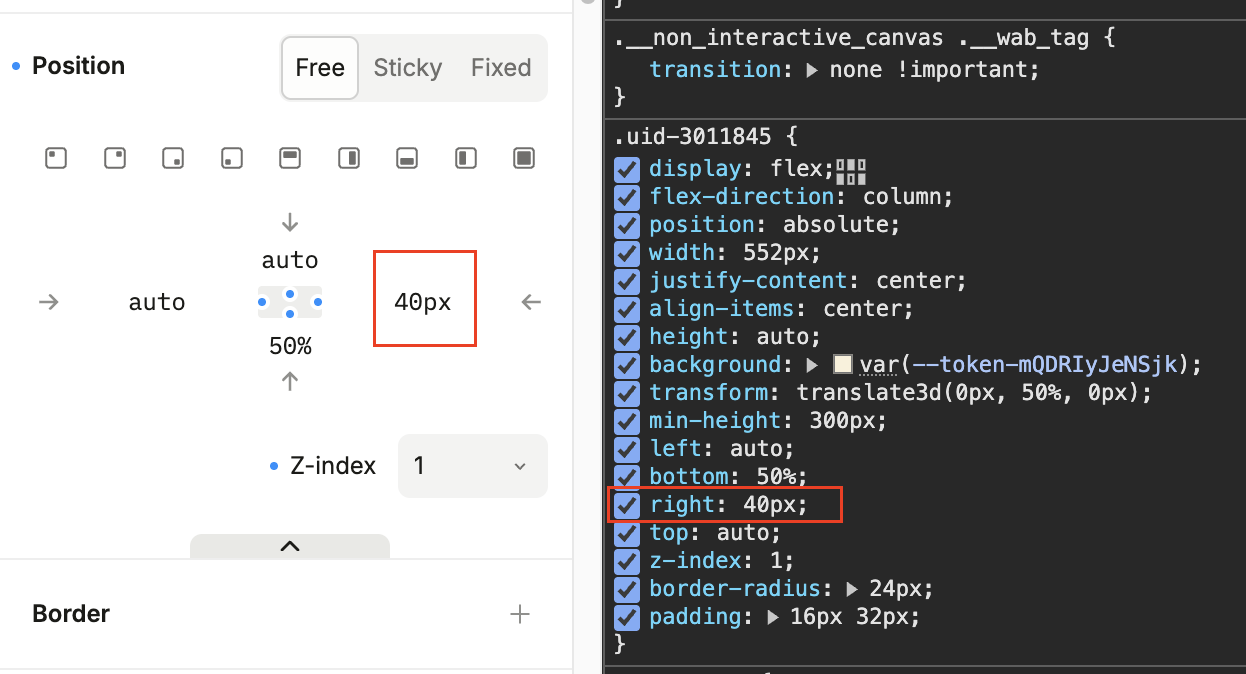
*What are you trying to do? (please be as specific as possible and include relevant screenshots, code snippets)
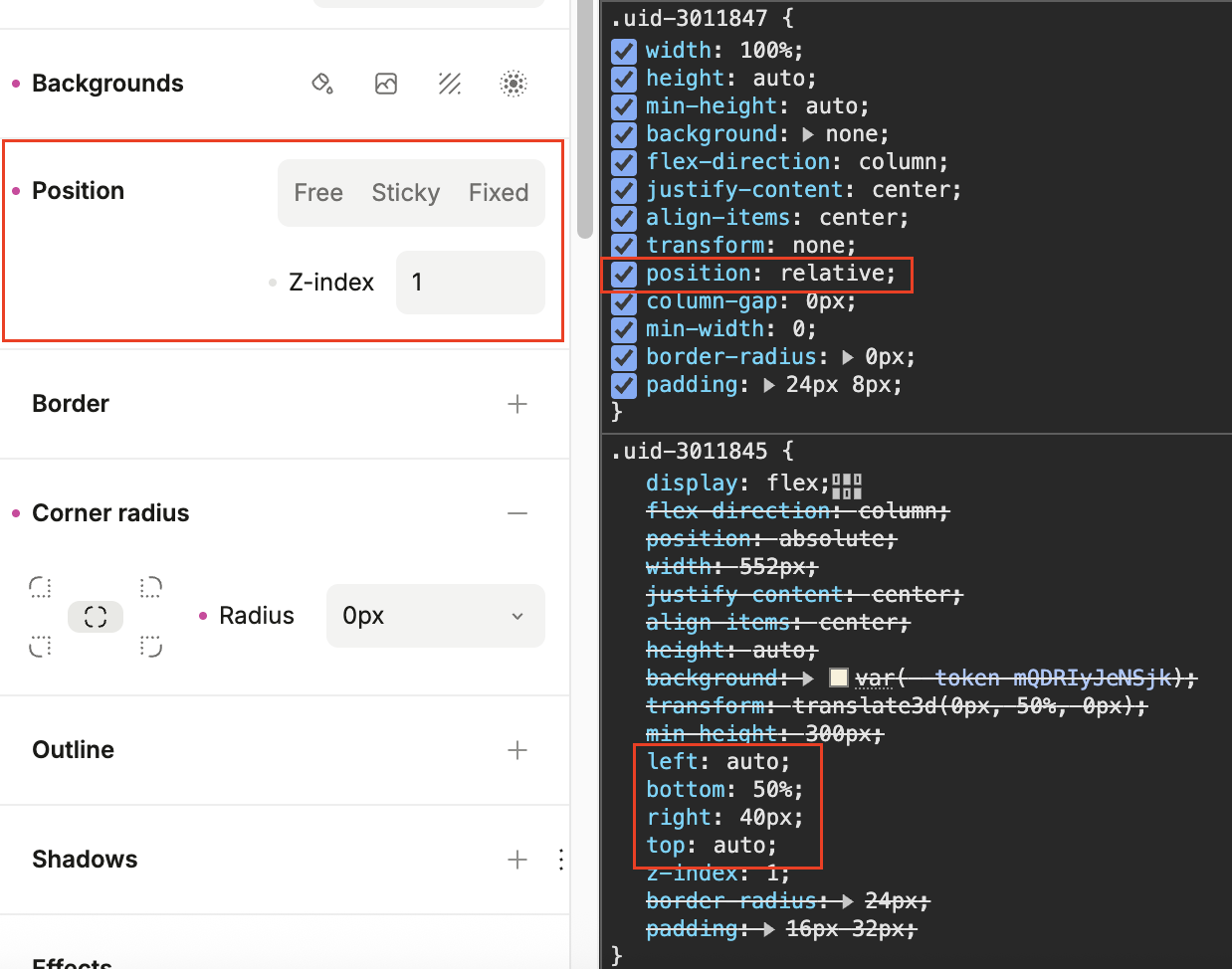
The top, bottom, right, left position properties are not reset to default when applying the* “Remove all position styles”
*What are the reproduction steps?
-
In base breakpoint, add vertical stack to page and set position to “free”, additionally set “right” property to 40px*
*
-
In different breakpoint, apply the* “Remove all position styles”, position is set to “relative” but see how the 40px “right” value and any other position value previously set are still applied.
Relevant links:
Hi @jorge_pizzati, it looks like you encountered a real bug, clearing the position style in a variant shouldn’t set the position to relative in that variant (breakpoint).
But clearing styles is only meant to affect the active breakpoint, so to clear the inherited styles you’d either need to do so in the base variant (desktop breakpoint) or override all the styles in the mobile breakpoint. You could do that by clicking “Auto”, which sets position: relative and sets every inherited offset to auto.
The bug should be fixed now!
Can confirm, I was able to set position back to auto in smaller breakpoint.
Thanks! @samuel_pullman