Using calc() inside Transform -> Move makes the value unviewable and uneditable

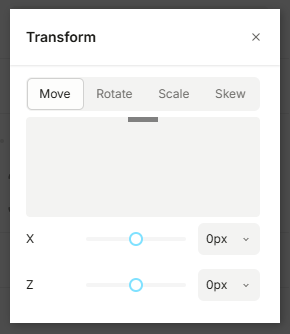
If I want to update my element’s translationY to be 100% - 30px for example, I can do that by going under Transform → Move and using a calc() expression. It works, but once I exit, the input for that value disappears:
This also means that the latter half of the expression is cut off in the sidebar:
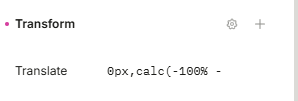
So if you want to see what you set it to, you can only see the first half. If you want to edit it, you have to completely remove the translation transform and re-add it. This happens in new projects as well as old ones.

Hi @juliana_nielson, thanks for reporting this. We’re currently investigating the issue and I’ll keep you posted once it’s resolved.

1 Like

Hi @juliana_nielson, the issue where calc() values disappear after exiting the input has been fixed.

The value cutoff in the sidebar has been added to our backlog and will be addressed as part of a broader UX improvement for calc() values. We’ll share updates once that work is completed.

1 Like